
Keep Forma Open,
Make Forma Yours
Play your part in the exciting adventure
of creating Forma 5





Modern and responsive layout and designed for an easy and engaging user experience
Manage multiple clients and brands with custom layouts from a single platform

Easily create advanced custom reports

Add and customize features to make it perfect for your needs
Forma LMS is an open source Learning Management System, built around the specific needs of corporate training. With Forma You can provide internal training to your employees, build an extended enterprise Lms (by providing training to your employees and your partners, dealers and sellers, each one with their specific courses, look and feel) or use Forma as a content hub with which you can sell your off-the -shelf courses to your customers.
The project is carried out by the forma.association, with over 50 members and 4.000 community users, which are constantly adding new features and making the software more complete and secure.

Our free webinar will be held in Italian and will focus on two plugins: Test Charts and Test360°

Better together: from the launch of Zoom Apps to Dropbox cloud integrations, from video collaboration to integrated online training. The best technologies we need to grow together. An event organized by Planet srl.
Locations are used in classroom courses, so that you can assign a specific location (a city, a company etc.) and a specific classroom (for example, blue classroom or the name of the classroom).
From the Admin menu, click on Learning ->Locations. The page that appears lists the locations available for educational activities.
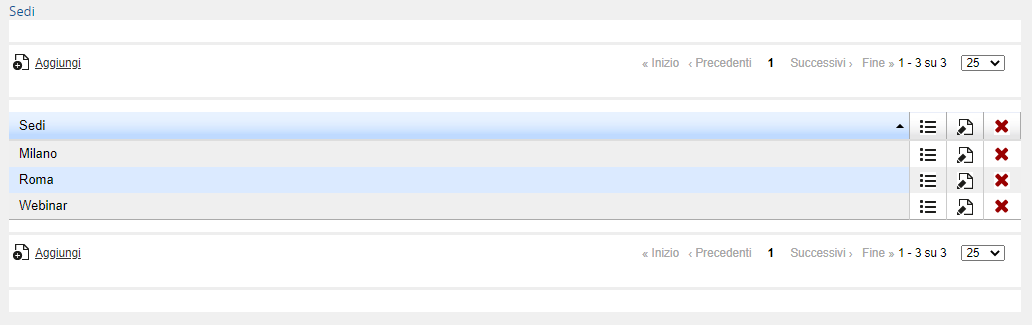
In the table you'll find:
Column Sedi (Locations): name of the location
Column  : if you click on this icon, you'll find the lists of the classrooms associated with the location
Column : if you click on this icon, you'll edit the name of the locations
Column  : if you click on this icon, you'll delete the locations and the classrooms associated to them
Click on the Add link and enter the name of the location. Click on the icon in the line containing the location you just added to enter the page in which you can manage classrooms.
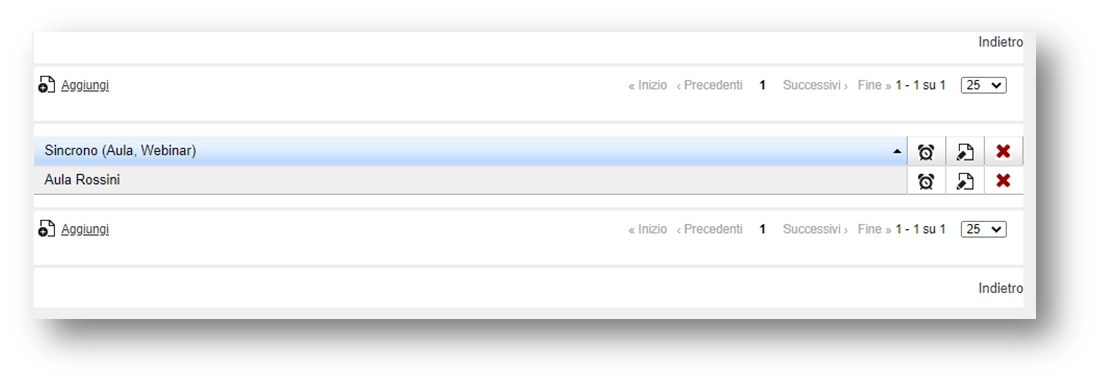
Click on the Add link to add a classroom. In the displayed page enter:
Name of the classroom (it’s the one that appears when assigning the classroom to appointments in the creation of editions for a synchronous course)
Enter all other required information: class, capacity, refers to, street, city, state, zip code, telephone number, fax, layout, classroom equipment, available equipment, notepad.
None of the above values are mandatory.
Click Save changes
Column: The corresponding classroom is deleted from the location
Column : it’s possible to edit the information regarding the classroom
Column : you access a page where you can view a schedule of the current classroom
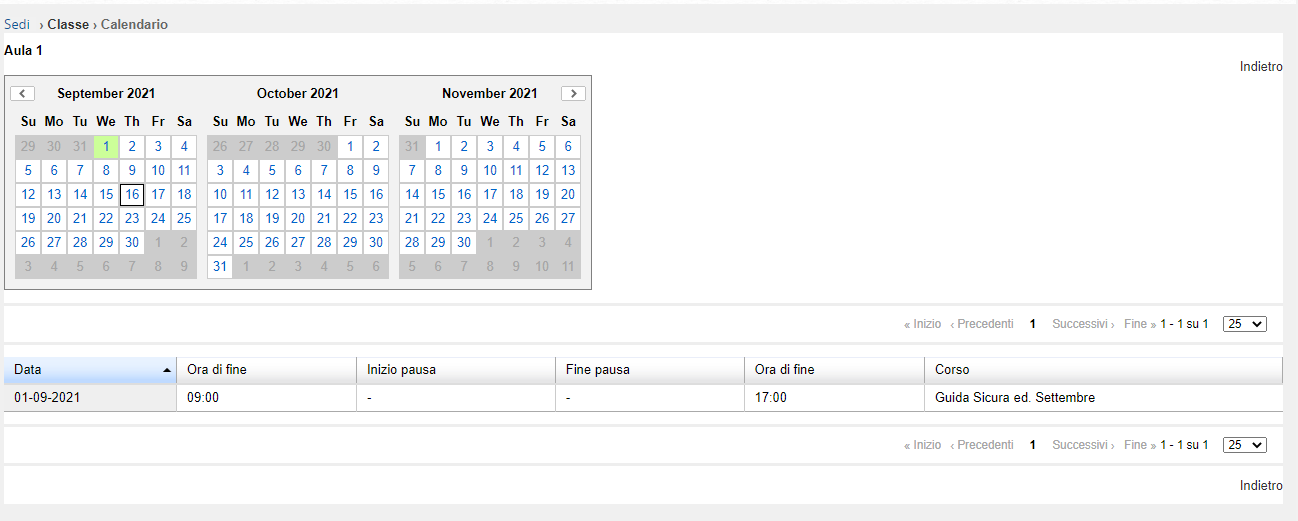
Column Sede: Name of the location
Coursepaths is used when a user is supposed to participate in a set of courses on which prerequisites have been set. It might be, for example, a set of 3 courses that have to be taken in succession.
Go to E-learning, Courses and Coursepaths.
Click on “Add” and insert the name and code of the new coursepath.
Choose if the registration is free or if it depends on the admin.
Save.
Click on the second icon (second column) on the right and enter the courses that are part of the new coursepath. Select the courses from the list.
Once you’ve entered the courses, use the arrows to establish the order in which you want users to take them.
For each course, click on the padlock to indicate which other course the participant must have completed before proceeding with this one.
Going back on the coursepath main page, click on the first icon (first column) to register the users you want. Before you do this, make sure each user is also registered to each single course.
When entering their profiles, users will be able to access just the first course of the coursepath, while the others are locked.
You have 2 different options:
The Forma Lms project is driven by the community of its adopters, organized in the forma.association
Become a member to support the project and make your opinion count: join the association now!
Knowledge, through learning, today is probably the most critical asset for any company willing to stay competitive and alive. Modern organizations need adaptive models to face the challenges of their markets: that's why whe choose to be open to evolving diversity since our core code with an open source licencing model, and based the forma.association on the principes of participation, sharing and networking.
A learning management system designed to fit the specific needs of your organization: start with all the features of a standard LMS, configure it with hundreds of available options, integrate with your other systems through connectors and APIs, extend with lots of available plugins, or add your custom features.
Forget the limits of saas platform and get free: here EVERYTHING IS POSSIBLE!

Some of the cookies we use are essential for parts of the site to operate and have already been set. We also use Google Analytics scripts, which all use cookies. You may delete or block all cookies from this site in your browser options.