
Keep Forma Open,
Make Forma Yours
Play your part in the exciting adventure
of creating Forma 5





Modern and responsive layout and designed for an easy and engaging user experience
Manage multiple clients and brands with custom layouts from a single platform

Easily create advanced custom reports

Add and customize features to make it perfect for your needs
Forma LMS is an open source Learning Management System, built around the specific needs of corporate training. With Forma You can provide internal training to your employees, build an extended enterprise Lms (by providing training to your employees and your partners, dealers and sellers, each one with their specific courses, look and feel) or use Forma as a content hub with which you can sell your off-the -shelf courses to your customers.
The project is carried out by the forma.association, with over 50 members and 4.000 community users, which are constantly adding new features and making the software more complete and secure.
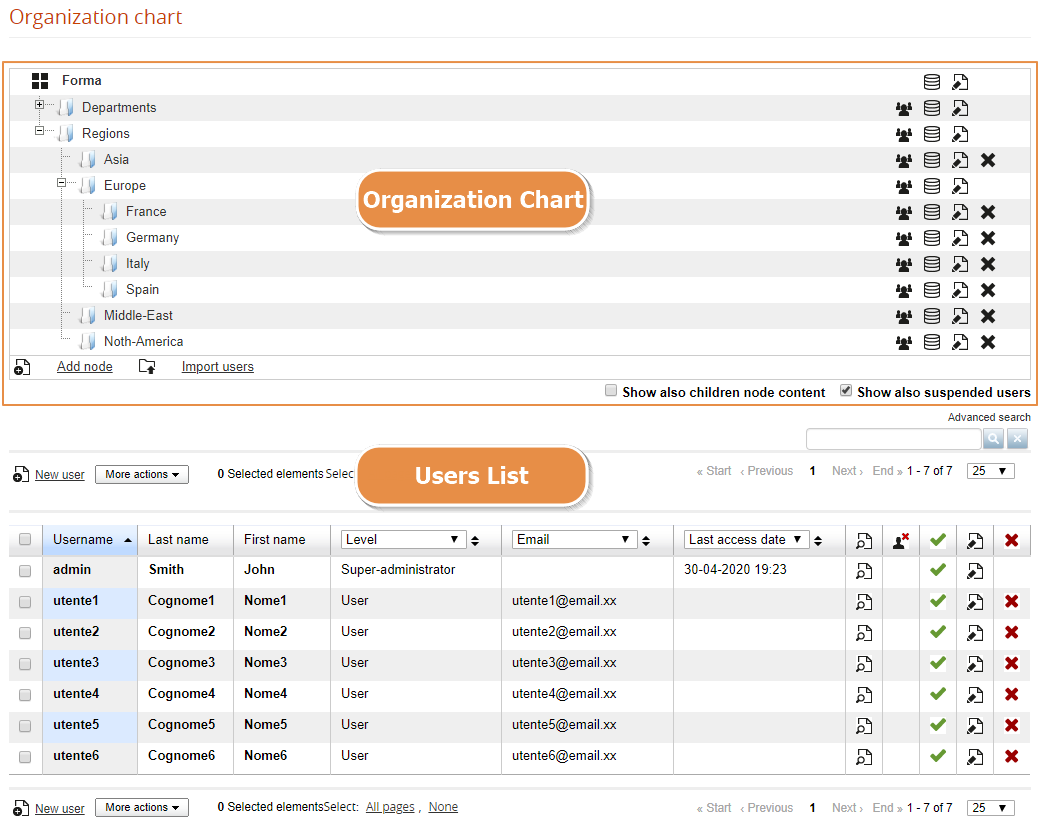
Features for user creation and management: organization chart, groups, administrators, custom fields, roles, competences,...
The user management page is split into two main parts:
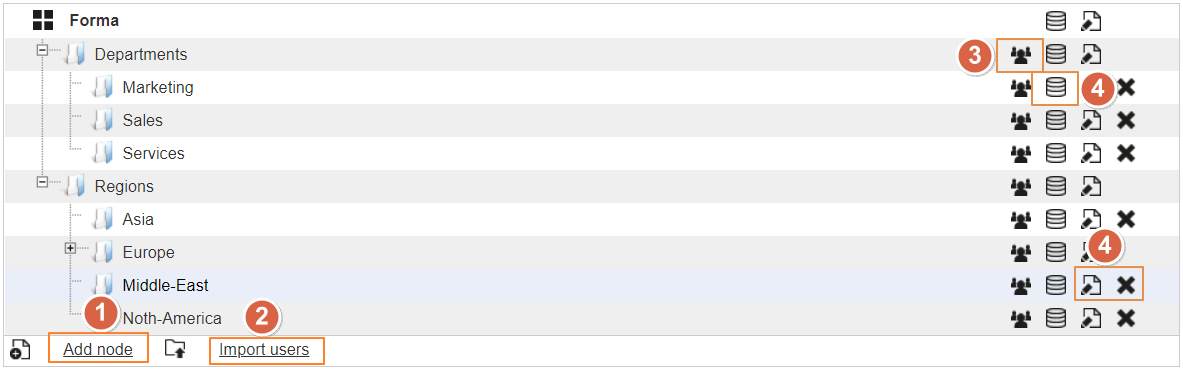
Click on this link to add a new folder:
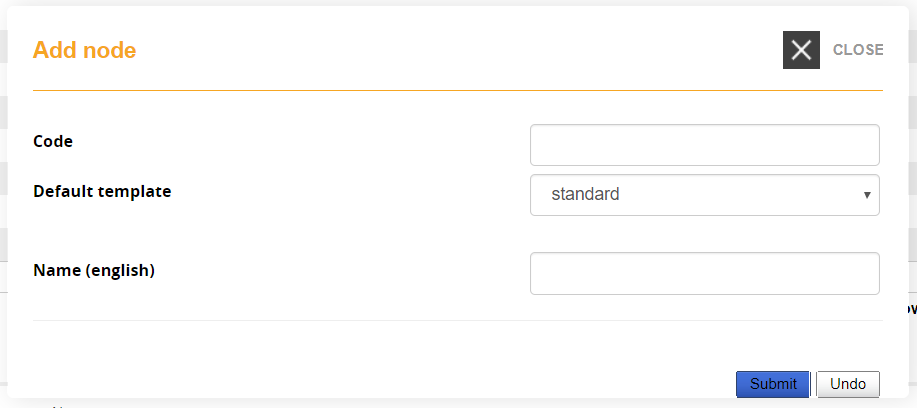
Code: Add an alphanumeric code that can be used by other features like registration with code or I/O task
Default Template: assign a specific template for the users in this node
Name (language): Name for this node, a different field for each language will be shown
This feature lets you import a list of users from a .CSV file.
Check the user import guide page for details
Click this icon to select users that you want to assign to this node
By default users can be assigned only to a single node. It is possible to assign users to multiple nodes, although this is strongly discouraged to avoid possible udesirable or unpredictable behaviours in other platform areas (ie. reports, administrators assignements, or other). To enable multi-node user assignament check the relative option under advanced configuration
This feature lets you define wich custom fields must be assigned for users in this node:
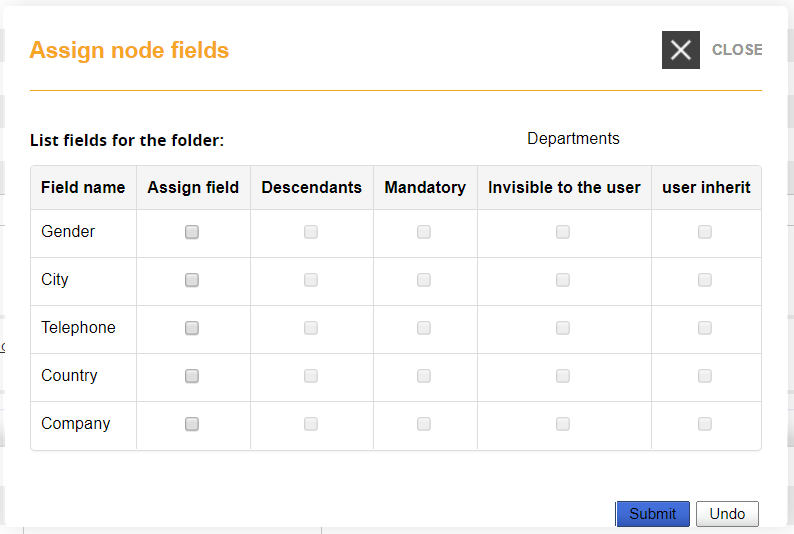
Assign Field: the selected fields will we available in the profile of users in this node
Descendants: the selected fields will we available in the profile of users in the subnodes of this folder
Mandatory: filling this field will be mandatory in the user registration form
Invisible to user: the selected field will be hidden on user registration form
User Inherit: all users of this node will get the same value. If you change the value for a user, it will be sett for all the others.
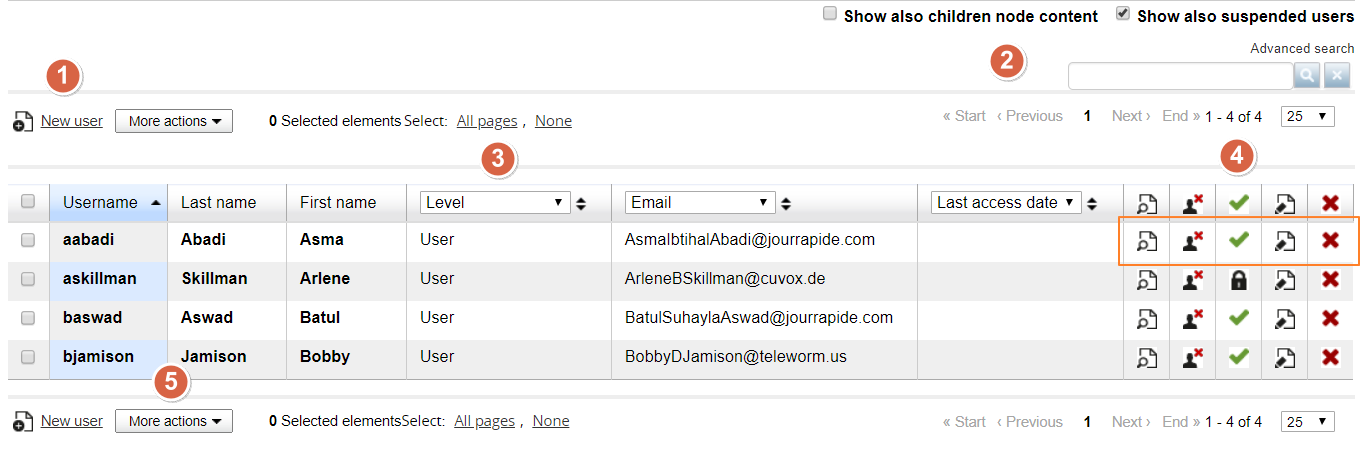
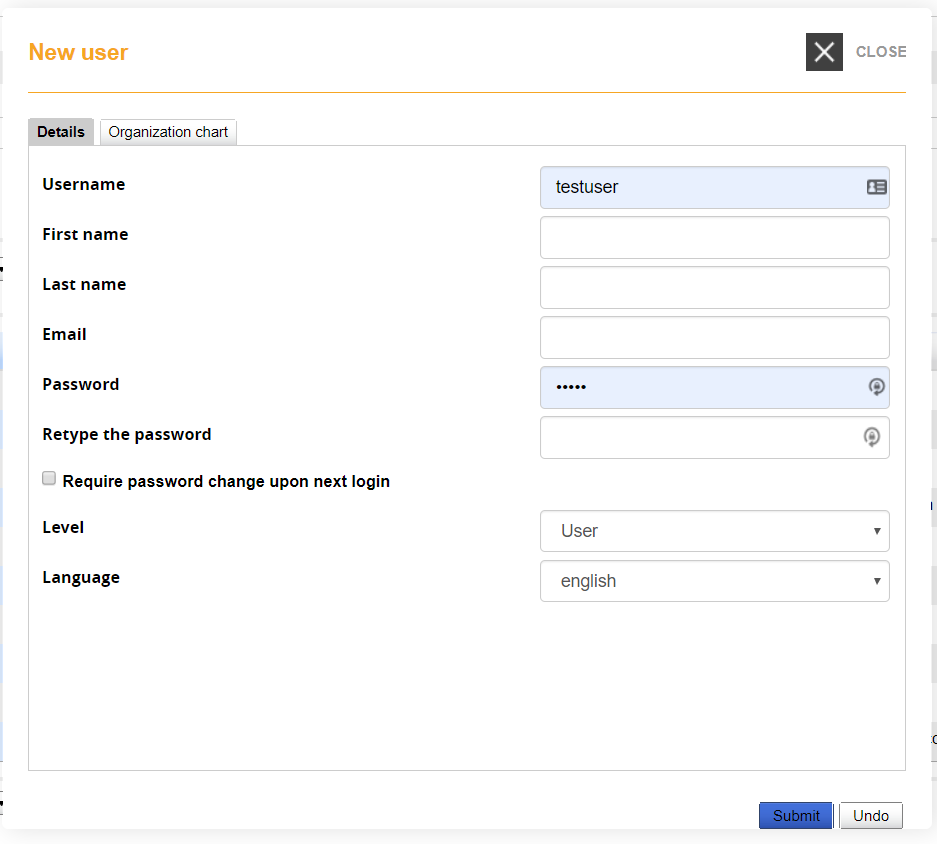
Click to insert a new user in the selected node.
Show also child nodes content: the list will show also the users from subnodes of the selected node. If you are dispplaying the root node, all users will be displayed.
Show also suspended users: show or hide suspendeded users from the list
Search: will search on any of the visible field in the user list below
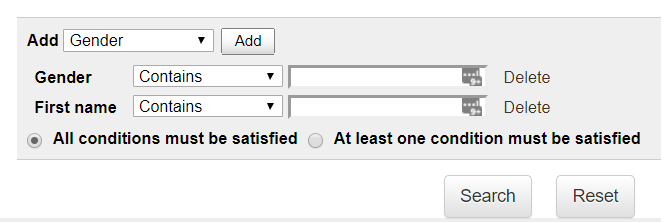
Advanced Search: will display an advanced search form with possibility do add search over specific fields and conditions:
Select from the dropdown wich data field to show in the correspondant columns, and sort for the displayed data.
The search engine will search over the displayed data.
Actions you can take pver each user:
View user profile: opens a popup window with user informations
Remove from node: user will be removed from the selected node, but remain registered to the platform
Activate/Suspend: lets you suspend or reactivate users. Suspended users will be still visible in reports if needed, but can't access the platform
Delete: user will be deleted from the platform. This action can't be recovered
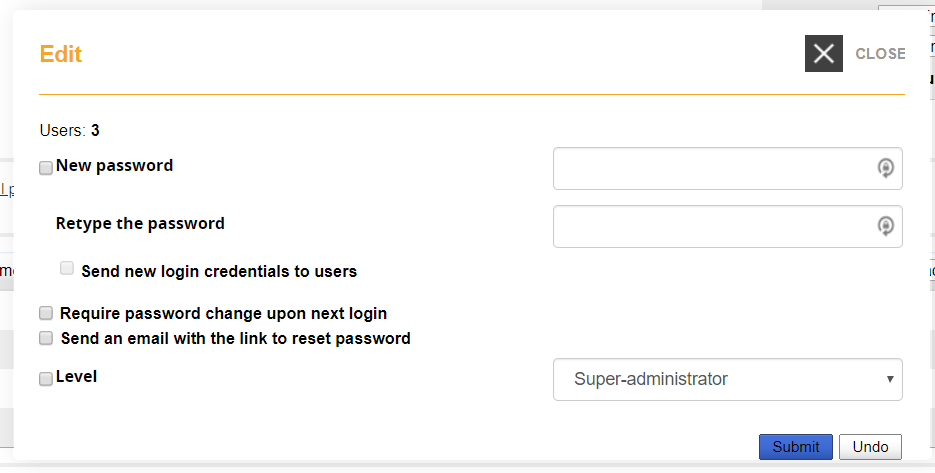
Lets you massively apply actions over all the users selected in the list.
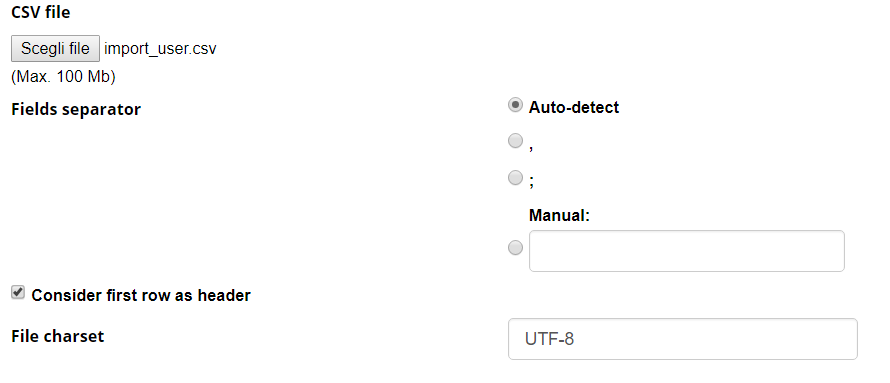
Use this feature to easily import list of users with custom fields from a csv file.
The csv file doesn't require a specific structure, the import schema can be set manually for each file upon import.
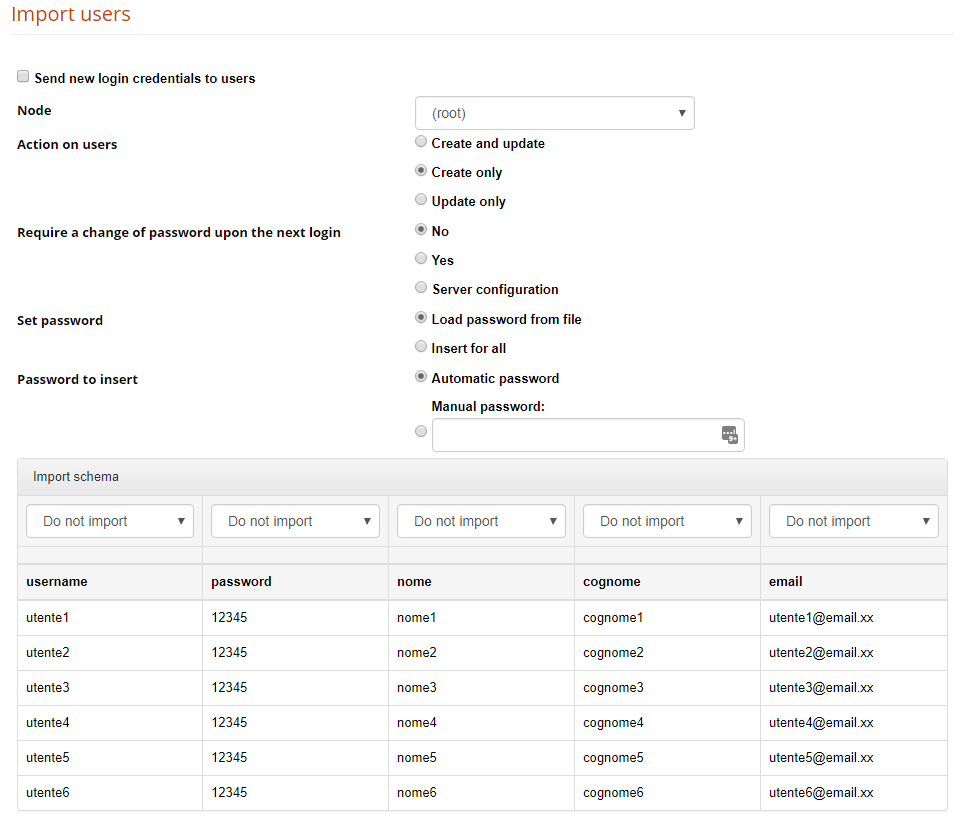
Send new login credentials to users
If flagged, the registration email with user credentials is sent to each imported user
Node
All the imported users will be added to the selected node. You can still import users to divverent nodes at a time, check the schema options below.
Action on users
Define what to do if a user is already present or not: create new and update existing, just create new users ignoring existing ones, just update existing while ignoring the new ones.
Require password change upon next login
Define if the user should be prompted to change password on next login. They will need anyway to know a default password.
Set password
Choose if you want to load the password from the imported file, or set it with the following method (automatic or manual).
Note: If “load from file” is chosen and the password field in the imported file is left empty, the password creation method will be used instead
Password create
Automatically sets a different random password for each user,
Manual password: this will be the default password for all users
Import Schema
Select the forma field in which import each file column
Goups are an alternative way to organize users, that can be used in example for cross-node grouping or temporary grouping to simplify some operation.
The groups feature can be managed from:
Admin > Users > Groups Management
Use the "new" button to create new groups
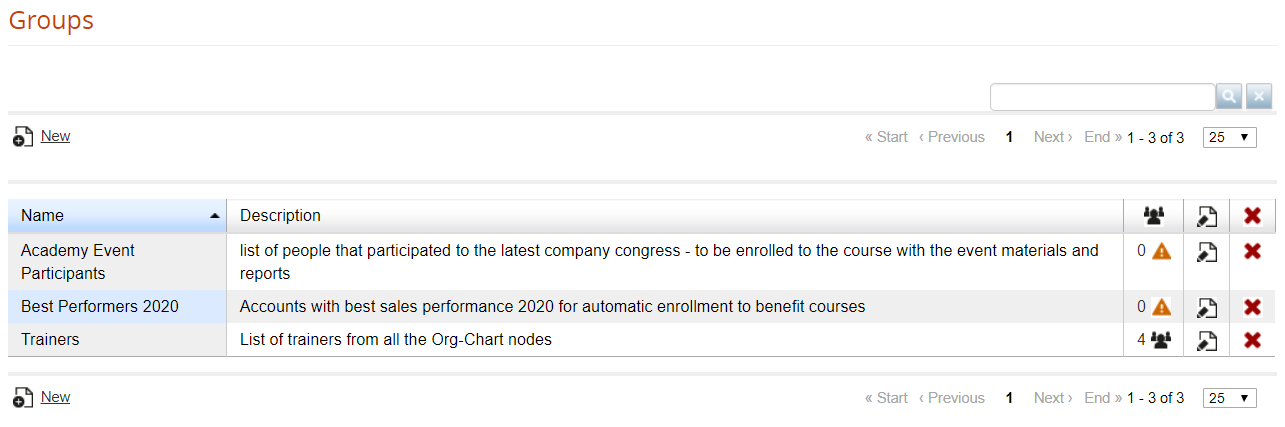
Clicking on the icon in users column you can:
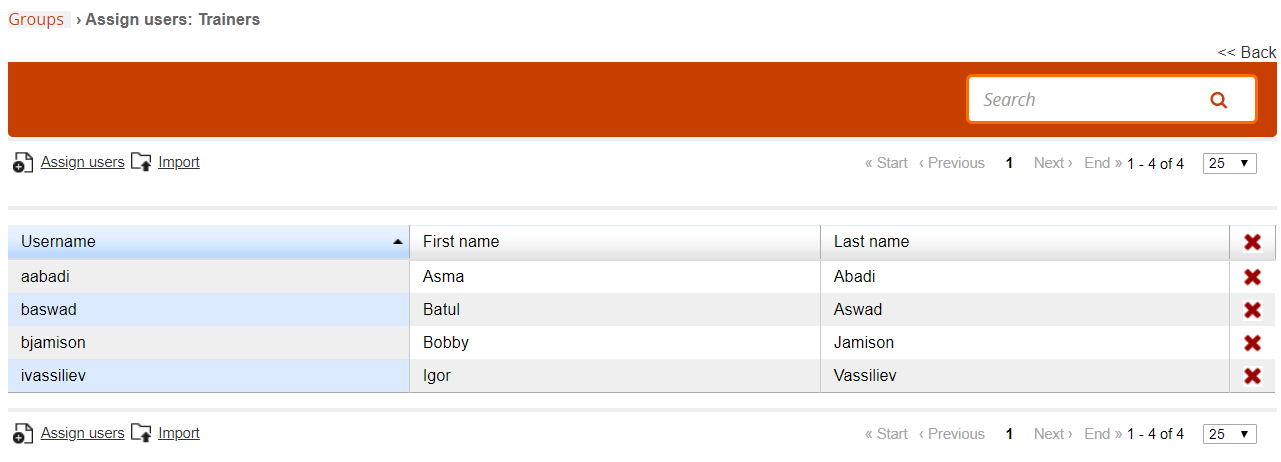
You can have an unlimited number of administrators.
Three basic steps to setup an administrator:
Any existing user can be configured as an administrator by setting this level in his personal user profile, from the global user management area.
From this page you can create and manage Administrator Profiles
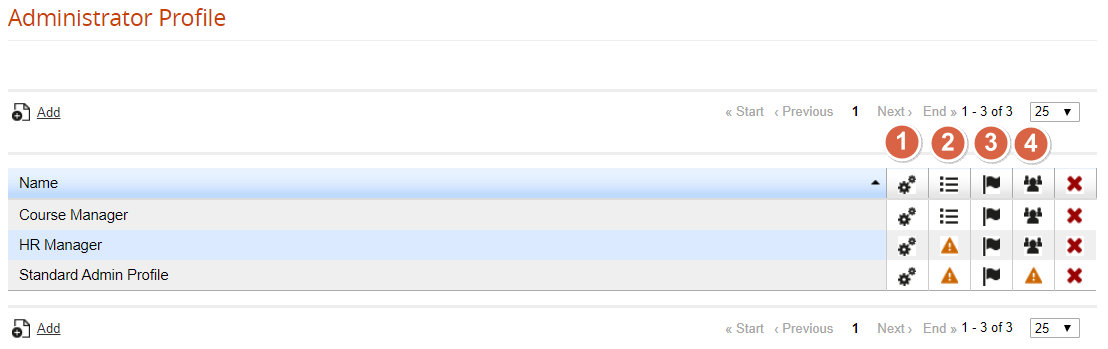
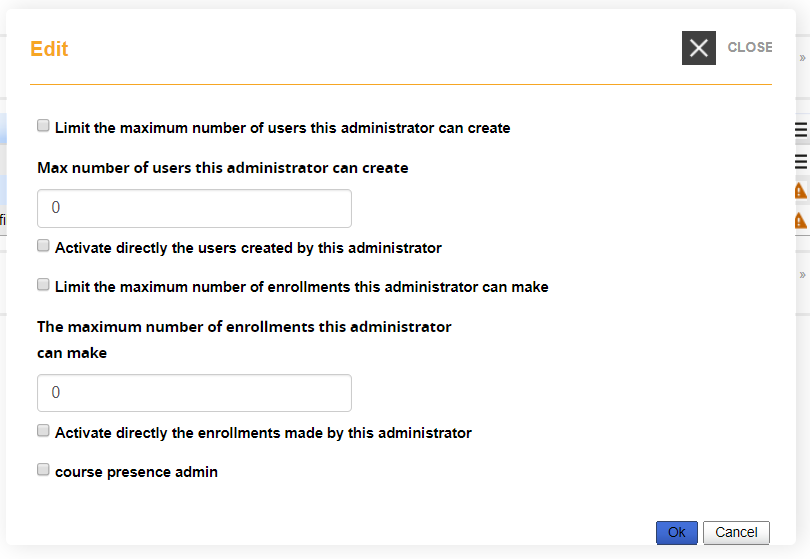
Click on the "Special Settings" icon to set some global configurations for this admin profile:
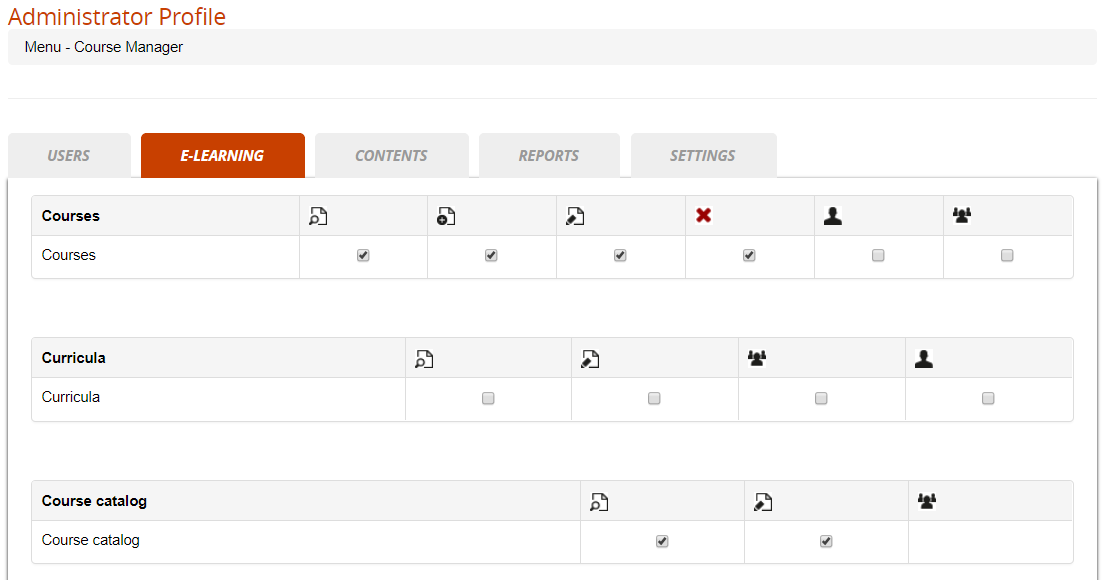
From this page you will be able to define the permissions on most of the backed features for the administrators assigned to this profile:
Give this user edit permissions on some specific languages in the language management area
See a list of the users assigned to this profile
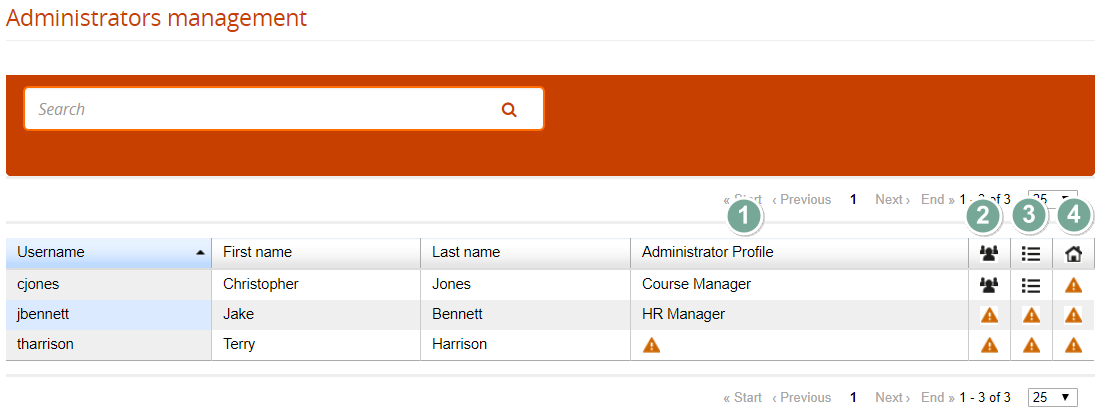
Click to assign a profile to this administrator
Select wich users this administrator will be able to view and managed, based on his profile settings. It's possible to assign:
Select wich courses this administrator will be able to view and managed, based on his profile settings.
There are three assignement options:
Select if yhis administrator can manage some location configurations
The Forma Lms project is driven by the community of its adopters, organized in the forma.association
Become a member to support the project and make your opinion count: join the association now!
Knowledge, through learning, today is probably the most critical asset for any company willing to stay competitive and alive. Modern organizations need adaptive models to face the challenges of their markets: that's why whe choose to be open to evolving diversity since our core code with an open source licencing model, and based the forma.association on the principes of participation, sharing and networking.
A learning management system designed to fit the specific needs of your organization: start with all the features of a standard LMS, configure it with hundreds of available options, integrate with your other systems through connectors and APIs, extend with lots of available plugins, or add your custom features.
Forget the limits of saas platform and get free: here EVERYTHING IS POSSIBLE!

Some of the cookies we use are essential for parts of the site to operate and have already been set. We also use Google Analytics scripts, which all use cookies. You may delete or block all cookies from this site in your browser options.